TRACK 1 AUDIO / FREE PLUGIN GUIDE
Free harmonics
plugins.
More body. A little bite. A new shade of your sound. Find a free harmonic saturation or waveshaping tool that gives you the control you need.
Start with four distinct options: Harmonic Bloom Lite for independent 2nd order and 3rd order harmonics, HoRNet Harmonics for more harmonic stages, IVGI for saturation character, or Saturation Knob for a compact amount-and-mode workflow. Compare their controls and download requirements below.
Written by Track 1 Audio, maker of Harmonic Bloom. This is a sourced workflow guide; the listening examples demonstrate our plugin. Product details checked October 16, 2026.
Which free harmonics plugin fits your workflow?
| Plugin | A starting point for | Controls | Free access |
|---|---|---|---|
| Harmonic Bloom Lite | Focused harmonic saturation | Independent 2nd order and 3rd order harmonics; Mix and Solo | Direct Mac / Windows downloads. No email, account or activation. |
| HoRNet Harmonics | Building a waveshaping response | Ten harmonic generators with amplitude and phase editing | Free product via the developer’s cart and account. |
| Klanghelm IVGI | Input-responsive saturation character | Drive, Asym Mix and Response | Freeware with Mac / Windows installers on the developer’s page. |
| Softube Saturation Knob | A simple amount-and-character workflow | One saturation knob; Keep High, Neutral and Keep Low modes | Free through Softube Central; Softube and iLok accounts required. |
The best fit depends on the job: choosing individual harmonics, auditioning a broader saturation response, or turning one main control. These tools use different processing and will not produce identical results at similar knob positions.
OUR FREE HARMONIC SATURATION PLUGIN
Try Harmonic Bloom Lite.
Shape 2nd order harmonics and 3rd order harmonics independently. Blend the character into bass, drums, guitar or synths with Classic processing, 8× oversampling, Harmonics gain, Solo and Mix.
No email. No account. No activation. Lite 1.0.0 is free; Premium is optional.
Preview builds: macOS 11+ · Intel / Apple Silicon AUv2 + VST3; Windows 10/11 x64 VST3. Intel Mac is verified. Native Apple Silicon and Windows DAW testing is pending. No AAX build is included.
LESS READING. MORE LISTENING.
Hear the
color come through.
Raw to warm. Subtle to full.
Your ears can take it from here.
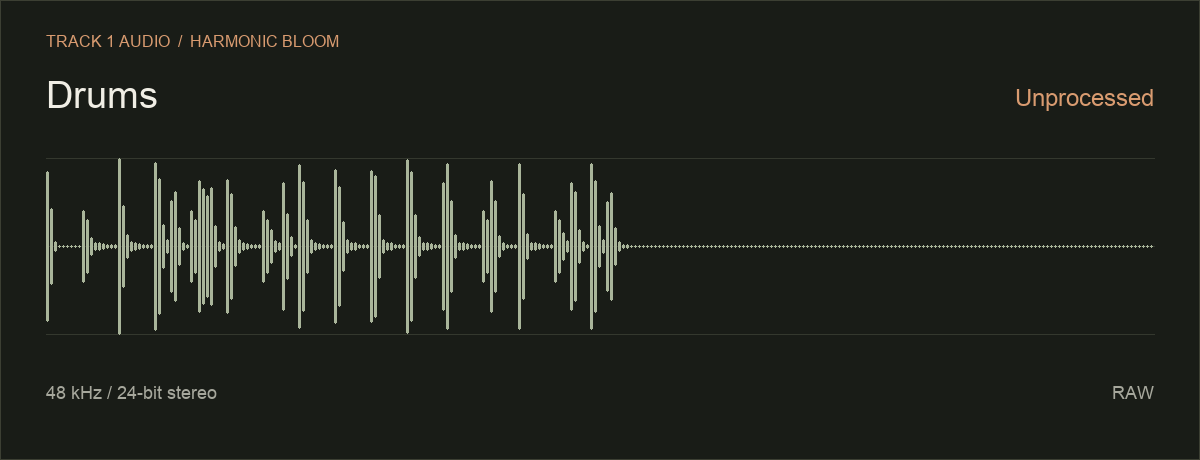
Compare Raw, 2nd order harmonics at 50% and 100%, then 3rd order harmonics at 50% and 100%. These examples use Classic processing.
| Instrument | RawOriginal | 2nd order harmonics50% | 2nd order harmonics100% | 3rd order harmonics50% | 3rd order harmonics100% |
|---|---|---|---|---|---|
| Drums | |||||
| Guitar | |||||
| Synth |
Original recordings · 48 kHz / 24-bit stereo · No level normalization
Playback continues through the remaining settings for your selected instrument, then stops. Level differences are part of the examples.
Harmonic Bloom Lite: two harmonics, your balance.
Lite keeps two processing stages in front of you. Use Second and Third independently, set Harmonics gain, then blend the result with Mix. Solo auditions the generated branch; in Classic mode that branch can include fundamental energy, so it does not isolate only new overtones.
A/B, host automation and session recall let you compare settings and keep them with your project. Premium adds Bold mode, parallel routing and six presets. Compare editions if those options matter to you; Lite works without purchasing Premium.
HoRNet Harmonics: build a more detailed response.
HoRNet Harmonics is a free Chebyshev waveshaper with ten harmonic generators. Adjusting amplitude and phase gives you a broader editing approach than two dedicated stages. Its developer lists AU, VST3 and AAX and native Apple Silicon support.
The free download uses the developer’s cart/account flow. See HoRNet’s product and download details, or read our HoRNet Harmonics comparison. Harmonics Pro is a separate product.
Klanghelm IVGI: explore saturation character.
IVGI is freeware for Mac and Windows. Its input-responsive processing, Asym Mix and Response controls offer a different way to shape saturation. Choose it for a character-led workflow rather than expecting Harmonic Bloom’s separate 2nd order and 3rd order controls.
Get IVGI’s official installers and manual. Check the linked requirements before installing.
Softube Saturation Knob: turn up the character.
A main saturation knob and Keep High, Neutral and Keep Low modes make this a compact starting point. Those modes change the character and frequency emphasis; they are not individual harmonic-order controls.
It is free through Softube Central and requires Softube and iLok accounts. Read the official features, download steps and current requirements.
Choose by the sound you want to change.
- Bass: audition body and note definition in the arrangement. Check output level and leave headroom.
- Drums: compare the attack with the sustain. Listen for whether added texture helps the groove or crowds the cymbals.
- Guitar and synths: start with a short phrase. Compare a small amount of saturation before trying a stronger setting.
In our examples, Raw is followed by 2nd order harmonics at 50 and 100, then 3rd order harmonics at 50 and 100. These are control settings, not measurements of harmonic energy. The recordings are not level-normalized, so louder should not automatically mean better.
For the frequency explanation and a 3rd order audition, open the 2nd order vs 3rd order harmonics listening guide.
Before you download.
Is Harmonic Bloom Lite actually free?
Yes. Lite costs $0 and downloads directly without an email address, account or activation. It is a separate free edition, not a paid checkout requirement. Premium is an optional one-time purchase.
Can I use these free harmonics plugins on Mac or Windows?
Check each developer’s operating-system and format requirements. Harmonic Bloom Lite provides Mac AUv2/VST3 and Windows x64 VST3 preview packages. Native Apple Silicon and Windows DAW testing is still pending; availability of a package does not certify every DAW.
Is a harmonics plugin the same as a vocal harmonizer?
Harmonic saturation generates additional frequency content through nonlinear processing. A vocal harmonizer creates pitched harmony voices. If you want harmony notes rather than saturation or waveshaping, choose a harmonizer designed for that task.
How do I install Harmonic Bloom Lite?
Download your platform’s ZIP, unpack it and follow the included installation instructions. Rescan the appropriate AU or VST3 format in your DAW. Lite needs no activation file. Visit installation support for the current release details.
Keep exploring your harmonics.
Compare Harmonic Bloom Lite and Premium, or explore our harmonics and saturation alternatives, including Reviver, Oxford Inflator and Vertigo VSM-3. Third-party names identify their own products; Track 1 Audio is independent and no endorsement is implied.